 white studio
Best AI Furniture Photography Tools: DIY Apps, Cutouts, Midjourney & Curated Services
By Vee S. · Founder, White Studio
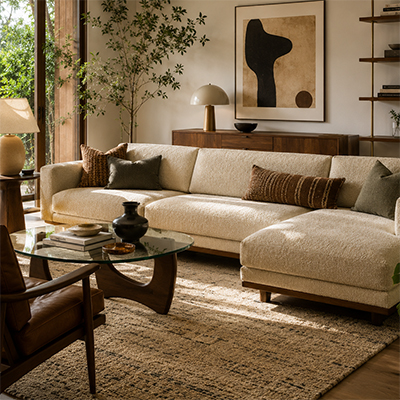
Marketing leads comparing AI furniture photography tools usually open five demo tabs, generate a few sofa scenes, and still cannot explain why the results look “off.” Legs shorten. Fabrics smooth over. Room scale floats. The problem is rarely that AI cannot make pretty pictures. The problem is that best means different things depending on whether you need a self-serve cutout editor, a text-to-image moodboard tool, or a curated delivery service.
This guide is a buyer’s comparison for US furniture ecommerce—Shopify brands, marketplace sellers, manufacturers, and merchandising teams. We refuse invented 9.4/10 scores. Instead we use transparent criteria, separate DIY apps and cutout tools from text-to-image generators and designer-curated services, and show where White Studio sits: in the service + curated column, not as a pretend DIY editor.
Short answer: The best AI furniture photography tool depends on the job. Cutout apps such as Photoroom excel at background removal but often stop short of furniture-scale lifestyle scenes and full listing packs. Text-to-image tools like Midjourney can invent attractive rooms while drifting from the real SKU—risky for ecommerce heroes. If you need product-accurate white, lifestyle, and detail images with human art direction from real phone photos, a designer-curated image-to-image service such as White Studio (Lite $39 / Standard $99) fits better than DIY iteration alone.
For category basics first, read What is AI furniture photography?. For why prompt-first workflows fail catalog truth, see How to write AI prompts for furniture. For shoot-model tradeoffs, see AI furniture photography vs traditional photography.
How we evaluated “best” (no fake scores)
We do not publish a numbered podium. Furniture catalogs vary too much—one brand needs Amazon white backgrounds tomorrow; another needs six lifestyle looks for a DTC launch. “Best” without context is just marketing.
Instead, evaluate every option on the same five axes:
| Criterion | What to check | Why it matters for furniture |
|---|---|---|
| Product fidelity | Legs, arms, seat depth, finish, hardware match the real SKU | Wrong proportions drive returns |
| Furniture room logic | Believable scale, floor contact, shadows, style-consistent interiors | Shoppers judge sofas in rooms, not on floating cutouts |
| Human QA / art direction | Someone reviews before you publish | Fully automatic pipelines still warp silhouettes |
| Turnaround & delivery model | DIY credits vs pack delivery in hours | Catalog calendars die on slippage |
| Ecommerce pack completeness | White bg + lifestyle + detail (not one hero only) | Thin galleries stall conversion and ads |
Secondary checks that still matter: commercial usage rights, revision policy, Shopify/PIM handoff, and whether furniture is a core category or a feature bullet.
Methodology note: Public demos, site claims, and category behavior inform this framework. We do not invent numeric rankings. Run your own pilot on a representative SKU—complex silhouette, real fabric or wood—before you scale.
DIY AI tools vs curated photography services
Both camps use AI. They optimize for different jobs.
DIY generators and cutout apps
Best when: you have design talent in-house, you want to iterate moods quickly, or you need a fast background swap for a one-off asset.
Tradeoffs for furniture: prompt and regenerate loops eat hours; catalog consistency drifts SKU to SKU; lifestyle scenes often ignore furniture scale; you become the QA department.
Designer-curated AI services
Best when: images will go live on a PDP or marketplace, you need commercial consistency across many SKUs, and your team should not become prompt engineers overnight.
Tradeoffs: less “infinite free regenerations” tinkering; you buy a defined pack and review cycle rather than an open-ended editor.
White Studio belongs here: upload real product photos → furniture-focused image-to-image generation → human art direction → listing-ready pack. It is AI furniture photography as a service, not a prompt playground.
A practical rule:
- DIY for exploration, mood boards, and internal mockups
- Curated packs when the images will sell the SKU
- Traditional studio when on-set control is the creative product (flagship campaigns, editorial sets)
Category A: Furniture-focused DIY / self-serve platforms
A growing set of tools market themselves specifically to furniture or home staging: room generators, virtual staging suites, and furniture-scene builders (names you will see in search include Furnea, OmniRoom, Roomshot, WizStudio, and similar showcase platforms). Features evolve quickly; treat the names as examples of the category, not as a scored leaderboard.
Typical strengths
- Faster than booking a physical set for early concepting
- Self-serve UI aimed at rooms, staging, or furniture placement
- Useful for exploring styles before you commit budget to a full catalog shoot
Typical tradeoffs
- Output quality varies by SKU complexity (thin metal legs, tufting, glass, open shelving)
- Catalog cohesion across many SKUs—and full white + lifestyle + detail completeness—is on you
- Commercial rights, revision depth, and furniture-specific QA differ; read terms before you scale ads
Who this fits: teams with hands-on control and someone to QA every frame. Who should pause: brands that need consistent PDP packs with minimal creative ops headcount.
Evaluate any furniture DIY tool on a hard SKU—and judge fidelity at 200% zoom, not thumbnail wow.
Category B: General cutout & background editors (Photoroom axis)
General ecommerce editors and cutout apps—Photoroom is the familiar example, alongside Remove.bg-class utilities and Canva-style removers—are excellent at what they were built for: isolate a product, drop a clean or templated background, move fast. Many searchers arrive here with Photoroom already open in another tab, asking whether a cutout app is “enough” AI furniture photography.
When Photoroom-style tools are enough
- You need a simple white or solid isolation for a clean silhouette
- The SKU is small or geometrically simple (few thin legs, minimal open structure)
- A retoucher already owns gallery assembly, lifestyle composites, and detail crops
- Furniture is only a fraction of a mixed catalog and cutouts are the bottleneck
In those jobs, Photoroom-class tools are strong helpers. They are not automatically the best AI furniture photography solution for a complete lifestyle-ready listing system.
Where furniture ecommerce usually feels the gap
- Complex edges — cabriole legs, slatted headboards, cane, open shelves, glass tops leave halos or jagged cuts
- Furniture-scale lifestyle — room modes often lack proportion logic: sofas float, dining tables dwarf doorways, shadows fail to ground the piece
- Pack incompleteness — white isolation ≠ white + lifestyle + material details as a coherent set
- Art direction load — you still assemble marketplace galleries, check finish truth, and keep SKU-to-SKU lighting language yourself
Photoroom vs curated furniture packs (one axis)
| Need | Lean Photoroom-style cutout | Lean curated pack (e.g. White Studio) |
|---|---|---|
| Fast white isolation | Strong fit | Overkill if cutout alone solves it |
| Sofas / tables / chairs with room scenes | Weak without heavy manual work | Built for furniture-scale lifestyle |
| Marketplace gallery (white + lifestyle + details) | You assemble | Pack structure included |
| Catalog consistency across many SKUs | On your QA team | Designer curation per pack |
Honest positioning: Photoroom-class tools win on cutout speed. They usually lose when the job-to-be-done is furniture-scale lifestyle + full listing packs. Cost context: furniture photography cost. When cutouts stall, see AI furniture photography.
Cutout apps such as Photoroom excel at background removal for simple silhouettes, but furniture ecommerce often still needs believable room scale, material detail crops, and a complete white + lifestyle + detail gallery—work a designer-curated pack is built to deliver.
Category C: Text-to-image / Midjourney & ChatGPT axis
Text-to-image tools (Midjourney, ChatGPT image generation, and similar prompt-first generators) are outstanding for mood boards and campaign ideation. They are usually the wrong primary tool for furniture catalog heroes—yet they own a large share of “AI furniture photo” curiosity searches.
When Midjourney / ChatGPT image is fine
- Moodboards, look-and-feel exploration, non-SKU marketing concepts
- Early creative direction before a physical sample exists
- Internal brainstorms where inventing “a modern gray sofa” is acceptable
The fatal flaw for ecommerce heroes
Prompts invent a sofa; they do not guarantee your sofa. Arm profiles, cushion counts, wood tones, leg geometry, and hardware drift between regenerations. Batch consistency across a collection is manual and fragile. Licensing and commercial-use rules vary by platform and plan. That is why Midjourney-pretty rooms still fail catalog QA: the listing must match the SKU you ship, not an adjacent AI invention.
For the deeper “why prompts fail furniture ecommerce” walkthrough—without turning this page into a prompt tutorial—read How to write AI prompts for furniture. Keep production on an image-to-image from real product photos path when the frame will sell.
Midjourney vs curated image-to-image (one axis)
| Need | Lean Midjourney / prompt-first | Lean curated image-to-image service |
|---|---|---|
| Concept moodboards | Strong fit | Unnecessary |
| Exact SKU heroes for PDP / marketplace | High product-drift risk | Product-preserving from your photos |
| Finish / hardware truth | Fragile across regenerations | Designer QA against source photos |
| Full listing pack structure | You invent the system | White + lifestyle + details defined |
Midjourney and similar text-to-image tools can invent attractive furniture rooms while drifting from the real SKU—risky for ecommerce heroes. Use them for concepts; use image-to-image from real phone or warehouse photos plus human curation when the image must match inventory.
Do not treat prompt-only output as listing truth until a human has verified every structural detail against the physical piece—and even then, image-to-image from real product photos is the safer production path. That distinction is the core of what AI furniture photography means in practice.
Category D: Designer-curated AI services (White Studio)
White Studio is built as a furniture-first, designer-curated service—not a general DIY editor, not a cutout-only app, and not a text-to-image playground.
How it works
- Capture 1–3 phone photos of the real piece (warehouse, showroom, or factory floor is fine if the silhouette is clear).
- Upload, choose category and lifestyle direction—no paragraph prompts.
- Furniture-focused image-to-image generation preserves the product; designers review for commercial readiness.
- Download your pack in 24 hours.
What you get
| Pack | Approx. price | Deliverables | Best for |
|---|---|---|---|
| Lite | $39 | 4 images (1 white-background, 2 lifestyle, 1 detail) | Quality test; unblocking a thin listing |
| Standard | $99 | 16 images (white-background, lifestyle, and detail) | Full PDP / marketplace launch |
Optional product video is available after a Standard pack when you need motion for social or PDP autoplay—see pricing.
Why this column exists separately from DIY
- Product-preserving workflow from your photos (not “a modern gray sofa” invented from text)
- Human art direction before delivery
- Ecommerce pack structure that matches how furniture listings actually convert
- Predictable per-SKU pricing without credit theaters
Shopify merchants order from the site: AI furniture photography · pricing · order · cases.
Ready to skip DIY iteration on a live listing? Start with Lite at $39—four designer-curated images from your phone photos—then expand winners to Standard.
Decision guide: pick by job-to-be-done
| Job | Lean toward | Why |
|---|---|---|
| One-SKU quality test | Curated Lite pack or a careful DIY pilot on a hard SKU | Prove fidelity before volume |
| Full catalog / seasonal launch | Designer-curated Standard packs (or DIY only if you staff QA) | Consistency and pack completeness |
| Marketplace white-background compliance | Cutout app or curated white-bg heroes | Cutouts can work; complex silhouettes still need scrutiny |
| Lifestyle-heavy DTC PDPs | Furniture-aware curated service or strong furniture DIY + heavy QA | Room logic and style systems matter |
| “I already have Photoroom open” | Cutout for isolation; curated pack when lifestyle/details stall | Don’t force room scenes out of a cutout tool |
| “Midjourney demo looks amazing” | Keep for moodboards; switch to image-to-image for SKU heroes | Pretty ≠ catalog-true |
| Video for social / PDP | Independent video order from product photos (AI-assisted footage, human editing) | Motion without product truth multiplies errors |
| No physical product yet | CGI / rendering or traditional pre-production | Phone-photo pipelines need a real piece |
| Flagship brand film | Traditional photography (often alongside AI for the long tail) | On-set control is the creative point |
Total cost reminder: A cheap monthly DIY subscription can still lose if each SKU needs hours of prompting and Photoshop. A $99 Standard pack that replaces that labor—and includes human review—often wins on total cost of ownership. The reverse is also true: if you only need a single cutout and already employ retouchers, do not over-buy a full lifestyle pack.
Red flags when shopping AI furniture tools
Walk away—or dig harder—when you see portfolios heavy on bottles/apparel with furniture as an afterthought; text-to-image as the primary catalog workflow; “unlimited generation” with no human review for proportion-critical pieces; vague deliverable counts; expiring credits that misalign with upload calendars; missing revision or commercial-rights language; or thumbnail-only before/afters that hide edge artifacts.
Furniture returns are expensive. Tools that optimize for demo wow over SKU truth tax your margin even when the sticker price looks friendly.
FAQ
What is the best AI furniture photography tool?
There is no universal #1. Choose by job: DIY apps for speed and iteration; general cutout tools (Photoroom-style) for backgrounds; text-to-image (Midjourney-style) for concepts; designer-curated services like White Studio when you need product-accurate packs with human art direction from real photos—without fake ranking scores.
Photoroom vs furniture-specific AI—which should I use?
Use Photoroom-class editors when cutouts and simple backgrounds are the bottleneck. Choose furniture-specific DIY or curated services when you need believable room scenes, material fidelity at furniture scale, and a complete listing set (white + lifestyle + details).
Should I use Photoroom then AI lifestyle?
Often yes as a sequence of jobs, not one tool for everything: cutout when isolation is the need; curated image-to-image when lifestyle and details must match the real SKU. Don’t expect a cutout app alone to replace a furniture listing pack.
Can Midjourney match my exact sofa?
Usually not reliably enough for catalog heroes. Prompt-first tools invent nearby products; arm profiles, cushion counts, and finishes drift. For exact SKU truth, start from real product photos (image-to-image) and verify against the physical piece. Depth: How to write AI prompts for furniture.
How is White Studio different from Midjourney?
White Studio starts from your real product photos (image-to-image), applies furniture-focused generation, and includes designer curation before delivery. Midjourney invents from prompts—great for concepts, risky as catalog truth.
How much do curated packs cost?
White Studio Lite is $39 (4 images) and Standard is $99 (16 images), with image packs in 24 hours and commercial use included in the pack. Confirm current details on pricing before large rollouts.
Do I get commercial rights?
Reputable curated packs include commercial listing and marketing use with purchase. Always verify current language on the vendor FAQ and order terms—especially for paid ads and retailer submissions.
Can I use this with Shopify?
Yes. Upload via the web order flow, then place delivered images on your PDPs and feeds.
When should I still book a traditional photoshoot?
Book traditional when physical set control is the point—flagship campaigns, complex prop narratives, luxury editorial. Use AI packs for catalog coverage, marketplace compliance, and fast variant refreshes. Many teams run both. More on that split: AI vs traditional furniture photography.
Next step: choose the model, then pilot one SKU
The honest shortlist for best AI furniture photography tools splits cleanly:
- DIY furniture / room apps — control and iteration, you own QA
- General cutout editors (Photoroom axis) — fast backgrounds, weaker furniture lifestyle fidelity
- Text-to-image (Midjourney / ChatGPT axis) — concepts and moodboards, high SKU-drift risk for heroes
- Designer-curated services — product-preserving packs with human review
White Studio sits in column four. If your next job is a live listing—not a mood board—start with a real SKU.
Prefer a low-risk first look? Order Lite at $39. Ready for a complete gallery—white backgrounds, lifestyle scenes, and detail shots? Choose the Standard pack at $99, start an order, or explore AI furniture photography. Finished comparing DIY paths? Skip another regenerate loop and go straight to Order.
Home and service context: whitestudio.art · What is White Studio?.