 White Studio
How to Write AI Prompts for Furniture Photography (And Why You Shouldn’t for Ecommerce)
By Vee S. · Founder, White Studio
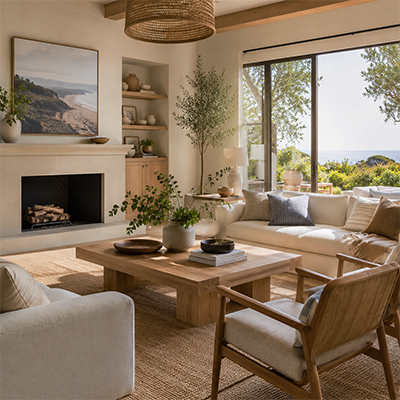
You can write detailed AI prompts for furniture photography—subject, materials, room, lighting, lens—but text-to-image tools invent a product they have never seen. For ecommerce galleries that means return risk when the shipped piece doesn’t match the pretty render. Catalog teams that need proportions and materials to stay true prefer image-to-image from a real phone or warehouse photo with human curation—White Studio’s zero-prompt path—so scenes and white backgrounds are produced around the SKU you actually sell.
If you sell furniture online, you have probably tried—or thought about trying—Midjourney, DALL·E, or Stable Diffusion for product images. And if you have, you have likely spent hours tweaking prompts to fix lighting or stop the model from adding a fifth leg to a dining chair. Prompt engineering is a real skill. This guide still gives you the formula people search for.
Then it covers the commercial truth: writing prompts is the wrong primary workflow for catalog furniture photography.
How do you write a furniture photography prompt?
If you insist on a text-to-image generator, “a photo of a blue velvet sofa in a living room” will not produce studio-grade results. Treat the prompt like a shot list with four layers. Keep this section lean—it satisfies the query; it is not a Midjourney tutorial destination.
1. Subject and material. Be painfully specific: “A mid-century modern 3-seater sofa upholstered in navy blue crushed velvet, with tapered walnut legs…”
2. Environment. Define architecture and props: “…in a bright Scandinavian living room with white oak floors, floor-to-ceiling windows, and minimalist decor…”
3. Lighting. Name source and quality: “…soft diffused morning sunlight from the left, cinematic soft shadows…”
4. Camera language. Reduce distortion: “…shot on 85mm, f/5.6, photorealistic, architectural photography.”
Example “master” prompt (inspiration only — not catalog-safe)
/imagine prompt: A high-end commercial product photo of a curved bouclé accent chair with brushed brass legs. The chair sits centered in a contemporary minimalist loft with polished concrete floors and textured plaster walls. Soft window light from the right casting gentle grounded shadows. Shot on Sony A7R IV, 85mm, f/8, sharp focus, hyper-realistic, architectural digest style, 8k --ar 4:5 --v 6.0
Run that and you may get a breathtaking frame. For moodboards, that is often enough. For a Shopify or Amazon listing of a chair you manufacture, it is not.
Why shouldn’t ecommerce brands rely on prompts?
Because text-to-image hallucinates the product. Midjourney does not know your sofa. It samples from training data and invents a plausible cousin:
- Armrests two inches too wide
- Bouclé that reads like sherpa
- Legs at the wrong rake or height
- Hardware and stitch lines that never existed on your BOM
If that image becomes your hero, customers receive a different object than the one they bought. Return rates climb; reviews tank. No amount of adjective stacking reconstructs a physical SKU the model has never measured.
That is the fatal flaw of AI prompts for furniture product photos when the job is catalog truth, not concept art. For a broader framing of curated AI vs DIY tools, see what is AI furniture photography and best AI furniture photography tools.
Skip the prompt loop. Upload one real SKU photo and judge catalog fidelity with Lite (3 designer-curated images). Compare against your sample under neutral light, then decide. Order Lite · see cases.
What is zero-prompt image-to-image?
Professional ecommerce visuals have moved away from “describe the sofa into existence.” The standard is image-to-image (img2img) anchored on a real photo, paired with a zero-prompt / menu-driven workflow and human review.
White Studio is built that way for US furniture and home-goods brands:
- You upload 1–3 phone or warehouse photos of the actual piece.
- You pick category and style direction from a menu—not a blank prompt box.
- The pipeline locks silhouette, proportions, materials, and hardware from your input.
- Generation focuses on environment, lighting, and shadows around that structural anchor.
- Designer curation / human QA catches furniture edge cases (asymmetric cushions, mixed materials, complex legs) before you download.
You do not prompt a sofa into existence. You preserve the SKU you already make. That is the opposite of prompt-only Midjourney inventing a different product—and different from cutout-only apps that only remove a warehouse background without delivering a coherent white + lifestyle + detail pack. If you are comparing DIY stacks, see best AI furniture photography tools.
How the pipeline works end-to-end: what is AI furniture photography. Service overview: AI furniture photography.
Prompt workflow vs curated pack workflow
| Dimension | Prompt / text-to-image DIY | Zero-prompt curated pack (White Studio) |
|---|---|---|
| Input | Paragraphs describing an imagined piece | 1–3 real product photos |
| SKU fidelity | Invented cousin; proportions drift | Structural lock on your silhouette/materials |
| Time to listing set | Hours of regenerate / argue / crop | Upload → about 24h pack |
| Skills required | Prompt engineering + unpaid QA | Category + style menu; designers review |
| Best use | Moodboards, concepts, non-SKU creative | Catalog heroes, lifestyle, details for sales |
The operational difference is predictability. Prompt weekends produce pretty misses. Curated packs produce repeatable galleries you can schedule against inbound inventory.
Phone capture tips that improve any image-to-image job: how to photograph furniture with a smartphone. One photo → full gallery path: how to create furniture lifestyle images.
Lite vs Standard: prove fidelity without learning prompts
You do not need to become a prompt engineer to test whether curated packs beat your current process.
| Pack | Images | Role |
|---|---|---|
| Lite | 3 | Fidelity pilot on one SKU—white hero + lifestyle support without prompt work |
| Standard | 13 | Listing-ready set: typically about 3 white, about 6 lifestyle, about 4 details |
| Video add-on | After Standard | Motion once the still pack clears |
Both packs run image-to-image + designer curation in about 24 hours. Lite answers: “Does this look like my chair?” Standard answers: “Do I have a full gallery for Shopify/Amazon?” Pricing detail: /pricing. Start: /order.
When prompts are still fine
Prompts remain useful when catalog accuracy is not the job:
- Moodboards and concepting before a product exists
- Campaign ideation where the hero will be reshot or replaced later
- Non-SKU marketing (abstract lifestyle, set dressing inspiration)
- Internal creative briefs for stylists and 3D teams
Once a physical SKU ships and a customer can return it, treat text-to-image heroes as high-risk. Use image-to-image (or traditional photography) for anything that must match the carton.
FAQ
Can I prompt my exact sofa?
Not reliably. Without a structural photo (or CAD/CGI pipeline), the model guesses. Detailed prompts improve plausibility, not identity. For an exact sofa you sell, start from a real photo.
Are ControlNet / DIY img2img enough?
Serious DIY stacks can improve fidelity over pure text-to-image, but furniture still fails on edge cases—mixed materials, odd silhouettes, marketplace crop rules. Someone still owns QA time. Curated services compress that unpaid studio into a priced pack with human review. Compare tool classes in best AI furniture photography tools.
Photoroom cutouts vs lifestyle packs?
Cutout apps solve “remove the warehouse wall.” They do not replace a white + lifestyle + detail pack with consistent art direction. For the full Photoroom vs Midjourney vs curated comparison, see best AI furniture photography tools.
What about commercial rights?
Usage for marketplaces and ads should be clear before you scale. White Studio documents commercial-rights expectations on /faq—confirm before paid media spend.
How good do phone photos need to be?
Even daylight, full product in frame, minimal extreme filters, and a second angle when possible. Warehouse floors are fine; the pipeline expects real-world capture, not a studio bay. See the smartphone guide linked above.
Stop guessing. Start producing.
Writing AI prompts is a useful creative exercise. It is a weak operational system for furniture ecommerce. You need structural accuracy, predictable turnaround, and galleries that match what leaves the warehouse.
With White Studio, the workflow is compressed: photograph the piece where it sits → upload (zero prompts) → receive a designer-curated pack in about a day. Prove it on one SKU with Lite, then run Standard for a full 13-image listing set when the pilot clears.
Skip the prompts—order Standard or start with Lite → · pricing · AI furniture photography · cases